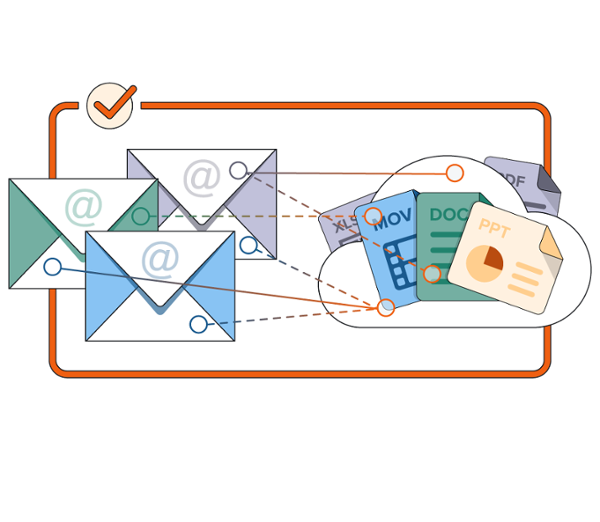
For decades, email review has had a familiar shape.
There is the message. There are the attachments. Together, they form a family.
Reviewers understand that family relationship. So do production teams, courts, regulators, and opposing counsel. Even when the data itself is messy, the concept is clear: the attachment belongs with the email that sent it.
Then came cloud collaboration.
In Google Workspace, a Gmail message may not carry a file inside the email at all. Instead, it may point to a Google Drive item with a link. That linked file may look, feel, and function like an attachment to the sender and recipient, but technically, it is not embedded in the message. It is a separate cloud object, with its own metadata, permissions, version history, and collection considerations.
That distinction is where modern discovery workflows can become difficult.
RelativityOne’s new capability to identify linked Google Drive files in Gmail collections and optionally include them with the corresponding Gmail messages during processing is designed to meet that challenge head-on.
The Gap Between Technical Truth and Review Reality
There is an important reason this topic sparks debate across the industry: linked cloud files are not “true attachments.”
A hyperlink to a Drive item is not the same as a PDF, spreadsheet, or document embedded in an email. Treating linked files as if they were traditional attachments can raise legitimate questions about version drift, duplication, deduplication strategy, production format, and proportionality.
But there is another truth that matters just as much: in many real-world matters, legal teams, review teams, and receiving parties expect those linked files to travel with the email.
Customers have told us this, through conversations and feature requests, that their clients often expect linked cloud files to be treated as associated files to emails, not as unrelated, standalone documents. They want the reviewer looking at the email to know which cloud files were linked from that message to, for example, help determine relevance or assess privilege. They want production sets that preserve that relationship. They want a workflow that reflects how people communicate, not one that forces litigation support teams to rebuild context manually after processing.
We can’t pretend linked cloud files are embedded attachments, but with this new capability we are giving teams a practical way to create a relationship when their matter strategy calls for “family-style” treatment.
Why Manual Workarounds Are Not Enough
Today, teams working with Gmail and Google Drive data often have to stitch these relationships together themselves due to ESI protocols or production specifications.
A common workflow looks something like this:
- identify Gmail messages that contain links to Drive files
- collect and process the relevant Drive items
- use source metadata or export artifacts to determine which message linked to which file
- manually create faux family relationships after the fact
Some teams rely on SQL queries. Others build custom objects or junction-table-style models, insert placeholders when linked files are missing, or build their own automations because the manual process is too slow and too risky to repeat at scale.
Several customers described the current workflow as time-consuming, especially for large data sets. In some cases, building these relationships manually can take days of setup before review even begins. That effort also introduces room for inconsistency: one matter team may handle linked files one way, while another takes a different approach.
What’s clear is that legal teams should not have to invent the same bridge over and over.
A New Processing Choice for Associated File Review
With the new processing profile setting – “Include linked cloud files with associated email” – RelativityOne will allow teams to opt in to a more automated approach
When enabled, RelativityOne will identify linked Google Drive files in Gmail collections and provide the option to include those files with the corresponding Gmail message during processing. For teams whose matter strategy calls for family-style treatment, standard fields such as Group Identifier can be populated to reflect that artificial relationship, letting reviewers and production teams work with Gmail and linked Drive files in a familiar, “family-based” model.
A new field, Is Linked Cloud File (yes/no), will help distinguish these linked cloud files from traditional embedded attachments. That distinction is essential. It gives teams the benefit of associated treatment without erasing the evidentiary difference between an embedded file and a linked cloud file.
Teams should also be clear-eyed about versioning. Google Vault’s eDiscovery search and export functionality can identify that a Drive item was linked from a Gmail message, but it does not identify the precise "as sent" version a recipient saw at the moment of transmission. As a result, a Vault-exported Drive item included with the Gmail collection may not be the historical version that existed when the message was sent.
For use and evidentiary purposes, that distinction can have significant impact: a witness could be asked about a linked file presented with an email even if the collected version is not one they opened or saw. The Is Linked Cloud File field and source linking metadata are intended to support that transparency, so teams can make matter-specific decisions about how to review, describe, and produce these materials.
This is a deliberately opt-in design. Not every matter will want linked cloud files associated with emails. Some teams may prefer to review cloud files as separate documents while using metadata to understand linkage. Others may want to avoid expanding associated groups because of duplication, cost, or review volume, or proportionality concerns. We recognize it should be up to you. These settings give teams that control.
Transparency, Even When Associated Treatment is Not Enabled
Just as important, RelativityOne will make Google source linking metadata available even when this new setting is disabled.
That means teams can still identify which Gmail messages originally linked to a Drive item, and which Drive items were linked to a given Gmail message. This supports matters where teams need transparency and defensibility, but do not want to create artificial family relationships.
That metadata-first approach is important because linked cloud files are not always one-to-one. A single Drive item may be linked from multiple emails. A single email may link to multiple Drive items. The collected version of a file may not perfectly match the version that existed when the email was sent. Duplicate Drive items may appear across exports or custodians.
Some teams may want to evaluate or deduplicate by Google Drive document ID. Others may need to preserve every collected instance for defensibility.
The point is, rather than to force one answer, to make the relationship visible, usable, and easier to act on.
Because that linkage metadata is open and accessible, the associated-file processing setting is not the only way to bring linked Drive items into review. Teams that have built their own approaches – using source metadata, custom objects, or junction-style relational models – can continue to do so, and the same openness gives the broader Relativity community room to develop and share patterns suited to different matter strategies.
Designing for the Way Modern Evidence May Need to be Reviewed
For many of our customers, feedback on this topic has pointed to four needs.
First, some teams want associated review and production when linked files are expected to accompany the message. For many reviewers, a linked file is part of the communication story. Seeing the email without the linked document can feel incomplete.
Second, some teams want linkage transparency. Even when they do not want linked files treated as associated files, they need to understand the relationship between email messages and linked cloud files. That context can shape relevance, privilege, production decisions, and quality control.
Third, some teams just want a consistent approach to handling linked cloud files within a given matter, irrespective of the collaboration platforms subject to collection. This can be especially challenging considering the unique characteristics of Google Vault exports, MS Purview exports, and still other cloud providers that support cross-platform file linking. For example, under certain configurations, MS Purview supports retention and collection of historical versions of linked OneDrive/SharePoint files, and as such exports a distinct file for each instance where it was linked to an email within that collection. In contrast, Google Vault is designed to export a single file for each Drive item linked to one or more emails within the collection. This ‘single instance’ approach is possible because only the collection-time version of the linked Drive item is ever exported.
And fourth, teams want control over tradeoffs. Associated treatment can simplify review and production, but it can also affect data volume, deduplication strategy, reporting, and downstream costs, depending on the capabilities and export format of the collection tool. People in our community have been candid about those concerns, especially around “data saturation” and the risk of proliferating linked files across related groups. An opt-in processing setting helps teams make that decision matter by matter.
This is why we’ve built this new capability not simply to “make linked files attachments,” but to allow for more nuance and better control. After all, linked cloud files do occupy a middle ground: technically distinct from embedded attachments, but often functionally inseparable from the messages that reference them.
A Practical Step toward Linked Cloud File Workflows
Cloud collaboration is not an edge case anymore. It is how people work.
In Google Workspace, Microsoft 365, and other collaboration environments, the evidence of communication increasingly lives across messages, links, cloud files, permissions, and versions. Discovery workflows need to account for that complexity without making every matter team become a systems integrator.
By identifying linked Google Drive files in Gmail collections, surfacing source linking metadata, and offering an opt-in path to include linked files with Gmail emails, RelativityOne is taking a practical step toward that future. We’re also setting the foundation for upcoming features that extend this capability to Microsoft 365 linked cloud files.
It gives teams a way to preserve familiar review and production patterns where they make sense. It also preserves the transparency needed to explain what happened, what was collected, and how relationships were represented.
Linked cloud files may not be true attachments. But in the story of a matter, they may still be part of the associated email set.
Graphics for this article were created by Sarah Vachlon.